
Warships Mobile for PC
Set your heading, rally your crew, and engage in high-stakes naval warfare!Updated April 6, 2026
Warships Mobile PC Details
| Category | Action |
| Author | Armada Forge Games |
| Version | 0.10.2 |
| Installations | 8661735 |
| Size | 384.9 MB |
| What's New | Update 0.10.2 Added: * New Battle Pass reward: RFS Leningrad as the main April Battle Pass reward. * Easter Event ships: USS DDG(X) and USS Anchorage available as special event rewards. Fixed: * Multiple bug fixes and optimizations. |
Warships Mobile for PC Screenshots
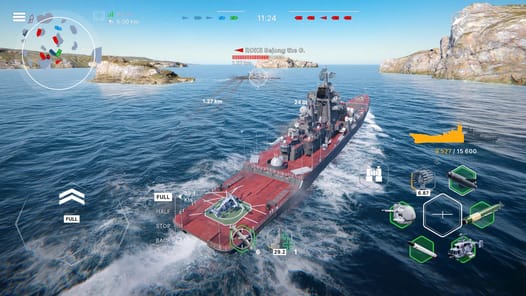
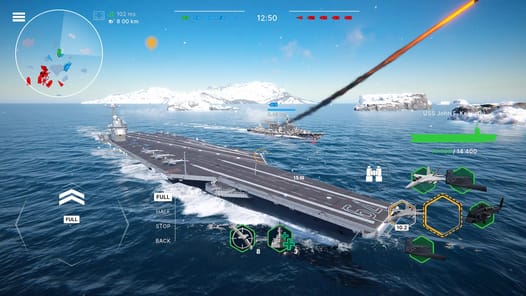
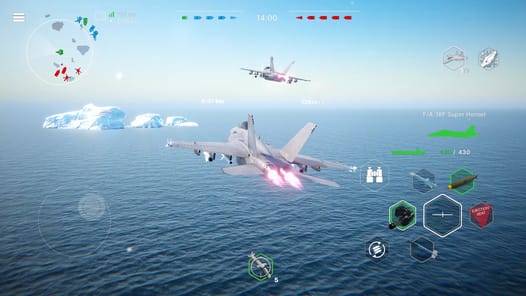
Set Sail for Exciting Naval Combat
Are you ready to command powerful battleships right from your phone? Let's dive into the world of Warships Mobile! This game is a must-try for anyone who loves the thrill of naval warfare. It brings the action of the high seas to your fingertips in a way that is both fun and exciting.
Warships Mobile finds a great balance between easy-to-play action and realistic details. This means you can jump right into a battle and feel like a real ship commander. The controls are simple to learn, but the strategy can be deep, making every match a new adventure.
Experience Thrilling Battles
The heart of Warships Mobile is its action-packed battles. You get to steer massive vessels, aim your powerful turrets, and launch missiles at your foes. The game is always evolving, with players looking forward to new ways to play. Imagine new battle styles, like a "last warship standing" mode where only one can be the victor, or tactical missions where you have to capture enemy bases. The possibilities for future updates are very exciting!
While the battles are already great, there is always room for more maps to explore. New battlegrounds mean new challenges and new strategies to master. Recent updates have already improved the look of the game, showing a bright future ahead.
Build Your Ultimate Fleet
In Warships Mobile, you can collect and command a wide variety of ships. Some of the most powerful and unique ships are available during special events. This makes them extra special and gives you a great goal to work towards. Be sure to keep an eye out for these events to add rare ships to your collection!
There is also talk about adding even more units to the battlefield. Think about commanding powerful land-based artillery like the M109 Paladin or the Smerch MLRS. Players also hope to see tanks and amphibious vehicles join the fight, creating a whole new layer of strategy. These new units could attack enemy positions and clear the way for your fleet.
A Game That Keeps Getting Better
Warships Mobile is a game that is constantly improving. The creators are always working to make the experience smoother, fixing bugs like frame rate drops to ensure everyone has a good time. There is also a desire for more variety, such as a competitive game mode based on player skill rather than just ship rank. This would provide a fun challenge for experienced players. Other cool additions could include more commander voices and languages to make the game feel even more immersive.
Frequently Asked Questions
What is Warships Mobile?
Warships Mobile is a fun action game for your phone where you get to control powerful warships in exciting sea battles.
Is the game challenging?
It is fun for everyone! As you get better, some players hope for new competitive modes that would offer a greater challenge based purely on skill.
What new features might be added?
There are many exciting ideas for the future of Warships Mobile. These include new maps, different kinds of battles, and even more types of units like tanks and artillery to command.
How to Install Warships Mobile on PC
Below instructions allows you to download and install Warships Mobile app on Windows or MAC computer using an Android emulator. The process involves:
Download APK:Downloading the Warships Mobile APK file by choosing a version.
Install Android Emulator:There are a number of Android emulators the internet. Choose a emulator that works better with your PC. Now, download and install the Android emulator software.
Run the Emulator:Open the emulator you have just installed and configure the settings such as display, keywords, mouse etc.
Install Gene:Open the downloaded Warships Mobile APK file using the emulator, which will install Warships Mobile on Windows or MAC.